
Your team clocks in. Your visitors sign in.No more dodgy timesheets.
One tablet runs the whole front door — time clock and visitor sign-in — and the hours export directly to your own payroll. From $29/mo NZD.
 Xero
Xero
 MYOB
MYOB iPayroll
 PayHero
 Smartly
Built in New Zealand · 14-day free trial · No card · No lock-in
It's Friday. Payroll's due.
Paper timesheets
Where's this week's timesheet?
Lost, late, or impossible to read. Every week the same hunt.
Manual entry
Still entering texts at 6PM.
Staff text their hours. Someone types them up. Errors guaranteed.
No accuracy
Is this even right?
No audit trail. No way to know if hours are accurate. Just trust.
No live view
Who's on site right now?
No real-time attendance. You find out when something goes wrong.
Leave & tracking
Leave request. Via text. Again.
No leave management. No job tracking. Everything lives in someone's head.
Meet Clockie.
The calm, NZ-built way to run your time clock and visitor sign-in.
Clock in
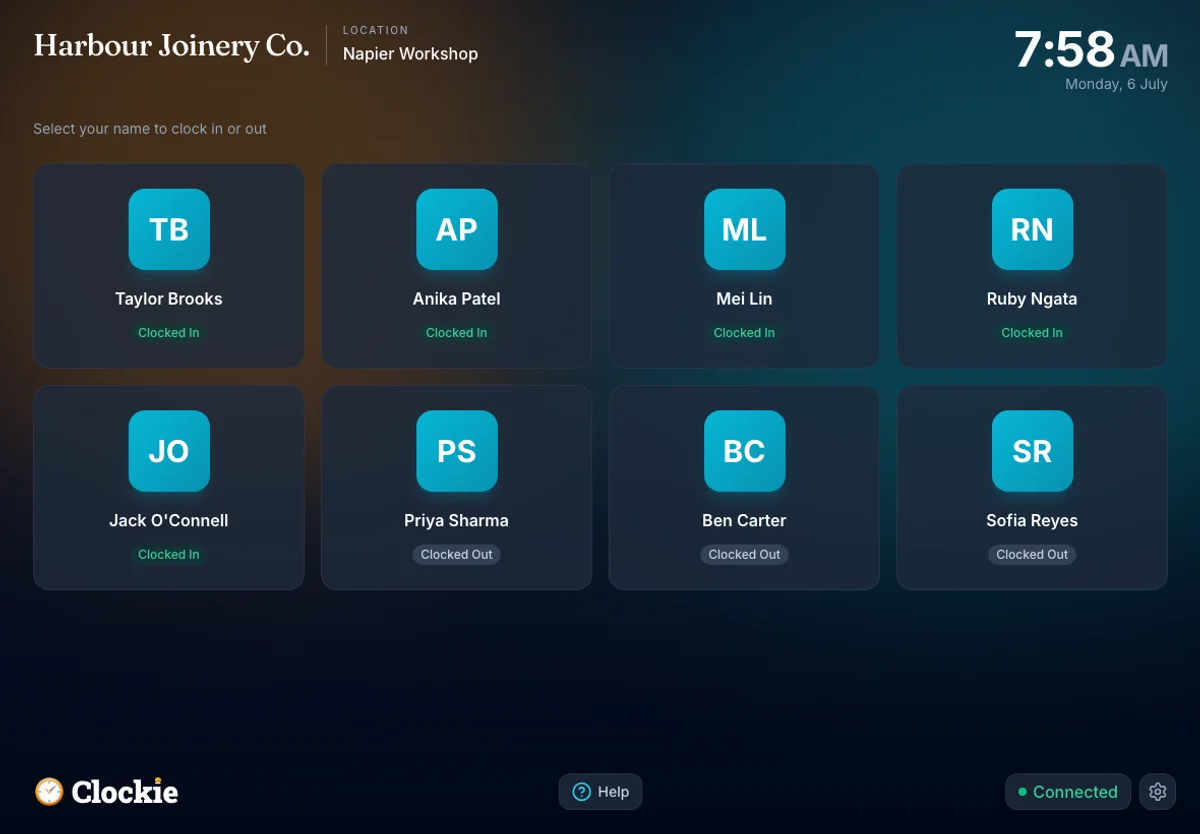
Staff clock in with a tap.
Tap, PIN, photo, or face — on a shared tablet or their own phone.
Hi, Jamie!
Currently clocked out
Auto timesheets
Timesheets build themselves.
Every clock-in rolls into an accurate weekly timesheet — no typing.
Compliance
Tricky details done for you.
Breaks, rounding, approvals and the audit trail — all automatic.
Breaks auto-deducted
unpaid breaks, every shift
Rounded to your rules
to the minute, your way
Every edit logged
a full audit trail, always
Approved & locked
one tap, then tamper-proof
Leave management
No more leave by text.
Staff request time off, you approve, and balances update on their own.
Annual leave · 2 days
Mon 21 – Tue 22 Aug
Leave balance, updated
11.5 days left
Payroll export
Hours straight to payroll.
Send approved hours straight to payroll in one click — no re-keying.




Clockie takes care of it.
Automated timesheets. Real-time attendance. One-click payroll export.
Start your free trialSee Clockie in action
A tablet by the staff door, one at reception, and one dashboard that sees both — from the first tap to Friday's hours landing in payroll.
More than a time clock
Six things a growing NZ team usually stitches together from separate tools: clock-ins, payroll, the roster, visitors, reporting and the platform underneath, in one subscription.
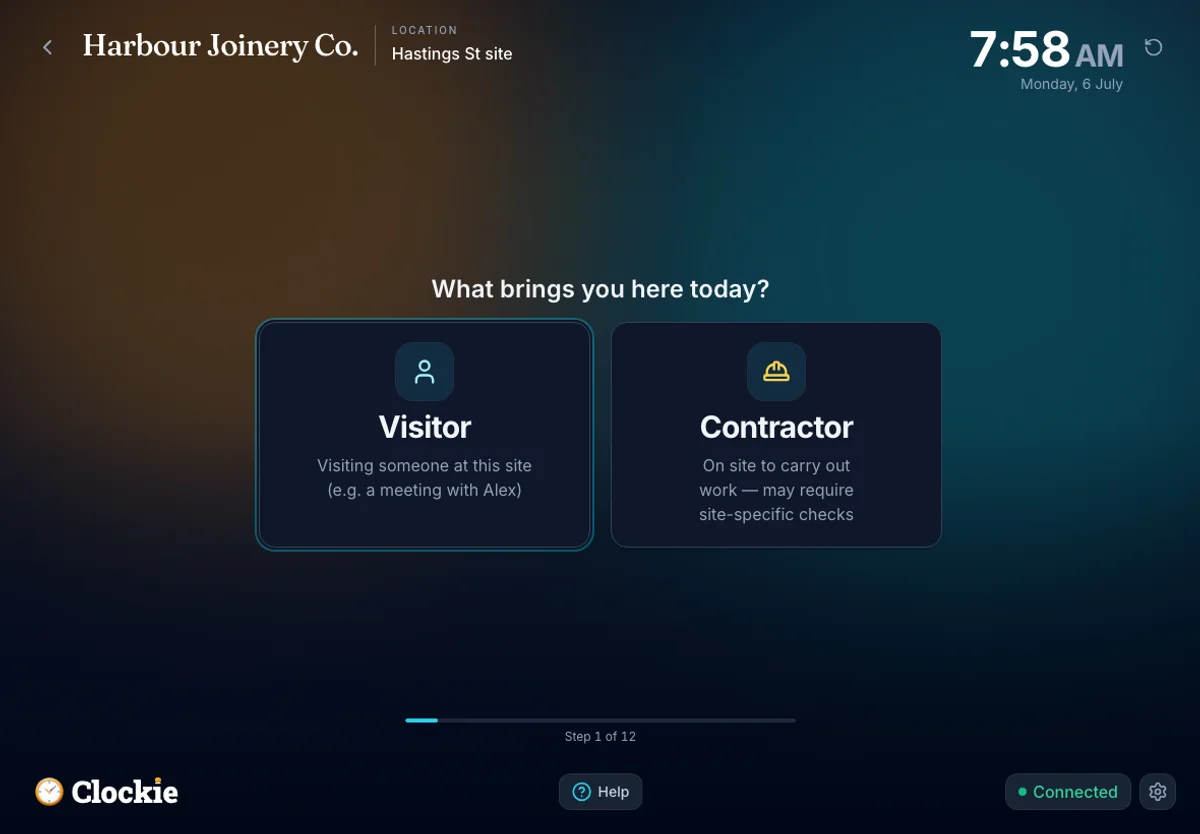
Your visitors sign in — on the same tablet.
It also runs a full visitor & contractor sign-in — inductions, hazard sign-off, host alerts, and a one-tap evacuation roll-call of everyone on site. No separate system to buy.
- Contractor inductions & hazard acknowledgement
- Host notified by email, WhatsApp, or text on arrival
- Live evacuation muster — staff and visitors
Staff, visitors, or both.
Run Clockie however your workplace needs — just the staff time clock, just the visitor front door, or the whole thing on one tablet.
Just the time clock
For teams who only need staff time tracking.
- Verified clock-ins — kiosk or phone
- Timesheets, leave & NZ breaks
- One-click payroll export
Both, on one tablet
Staff clock in and visitors sign in on the same device at the door.
- Everything in both plans
- One kiosk runs the whole front door
- Staff teal, visitors indigo — one login
Just the front door
For sites who only need visitor & contractor sign-in.
- Sign-in, inductions & hazard sign-off
- Host alerts by email or text
- One-tap evacuation roll-call
See what you’d save
Paper timesheets cost more than the admin: a few rounded-up minutes on every sheet, every day, adds up to real payroll over a year. From $29/mo NZD — see what verified clock-ins would pay back.
What you'd save
$7,784 /year
after paying for Clockie
A rough estimate: $30/hr admin time, $26/hr average wages, 5-day weeks — adjust the sliders to your numbers.
Live in a matter of minutes
No migration project, no installer, no IT ticket. If you have a tablet and your team’s names, you can be clocking in today.
Add your team
Type in your staff and give each a 4-digit PIN. No per-person setup fee, no onboarding call to book.
APAnika PatelTBTaylor BrooksAdd teammateProp up a tablet
Open Clockie in any browser and pin it to the home screen. Any iPad or Android tablet works — no special hardware to buy.
clockie.nzAdd to Home ScreeniPad · Android · any browser
Connect your payroll
Link Xero or Crystal for two-way sync, or export a formatted CSV for every other NZ payroll. Change your mind anytime.
CSV+7 more
Questions, answered
Do I need a credit card to start?
No. Start a 14-day free trial with just an email — full access, no card. We only ask for payment if you choose to keep going.
What happens when the trial ends?
Your account goes read-only — we keep your data so you can come back anytime. Nothing is deleted, and there’s no lock-in.
How does pricing work?
$29/mo NZD includes 5 staff, 1 location and 25 SMS. It’s $2/month per extra staff and $10/month per extra location. No per-visitor charges.
Does it really work offline?
Yes. Clock-ins and visitor sign-ins are saved on the device and sync automatically when you’re back online — so a dropped connection never loses a shift.
How do staff clock in?
On a shared kiosk with a PIN, a photo or an on-device face match, or from their own phone. Switch the optional Tap to Clock setting on and they can also tap an NFC badge or fob on an Android kiosk, or show a printed QR card or the rotating QR code from their phone to any kiosk with a camera, iPads included. A tap or scan replaces the PIN and face check rather than adding to it, so it is off by default. Clockie sells no hardware: fobs and card stock are bought separately.
Will it work with my payroll?
Xero Payroll and Crystal Payroll are live API integrations; MYOB Business, MYOB IMS Payroll, iPayroll, Smartly, PaySauce, PayHero, Employment Hero, SmoothPay goPayroll and Thankyou Payroll get a formatted CSV — 11 NZ payroll systems in all.
Is visitor sign-in extra?
No — it’s included. Your plan covers your first location; additional locations are $10/month each.
More on pricing? See the pricing FAQ →
Clock in. Sign in. Sorted.
Your team clocks in, your visitors sign in, and the hours are ready for payroll. 14-day free trial — no credit card, no lock-in.
Built in New Zealand · Cancel anytime